


If you’ve ever tried to download media from YouTube or Instagram — maybe to watch on a long flight or save a tutorial before it disappears — you’ve probably run into a mess of free websites full of pop-ups, ads, intrusive cookies, or shady apps asking for your contacts.
If you manage to find a good app, in most cases, it’s bound by subscriptions that lock basic features behind a paywall. I was tired of constantly looking for the right site or app to download content from the internet.
Downloading something from the internet should be a utility, not a transaction. That was an issue until I found an open-source Android app that strips away the grime of the video-downloader ecosystem.
Meet the only video downloader you’ll ever need
Because it’s the perfect downloader for Android
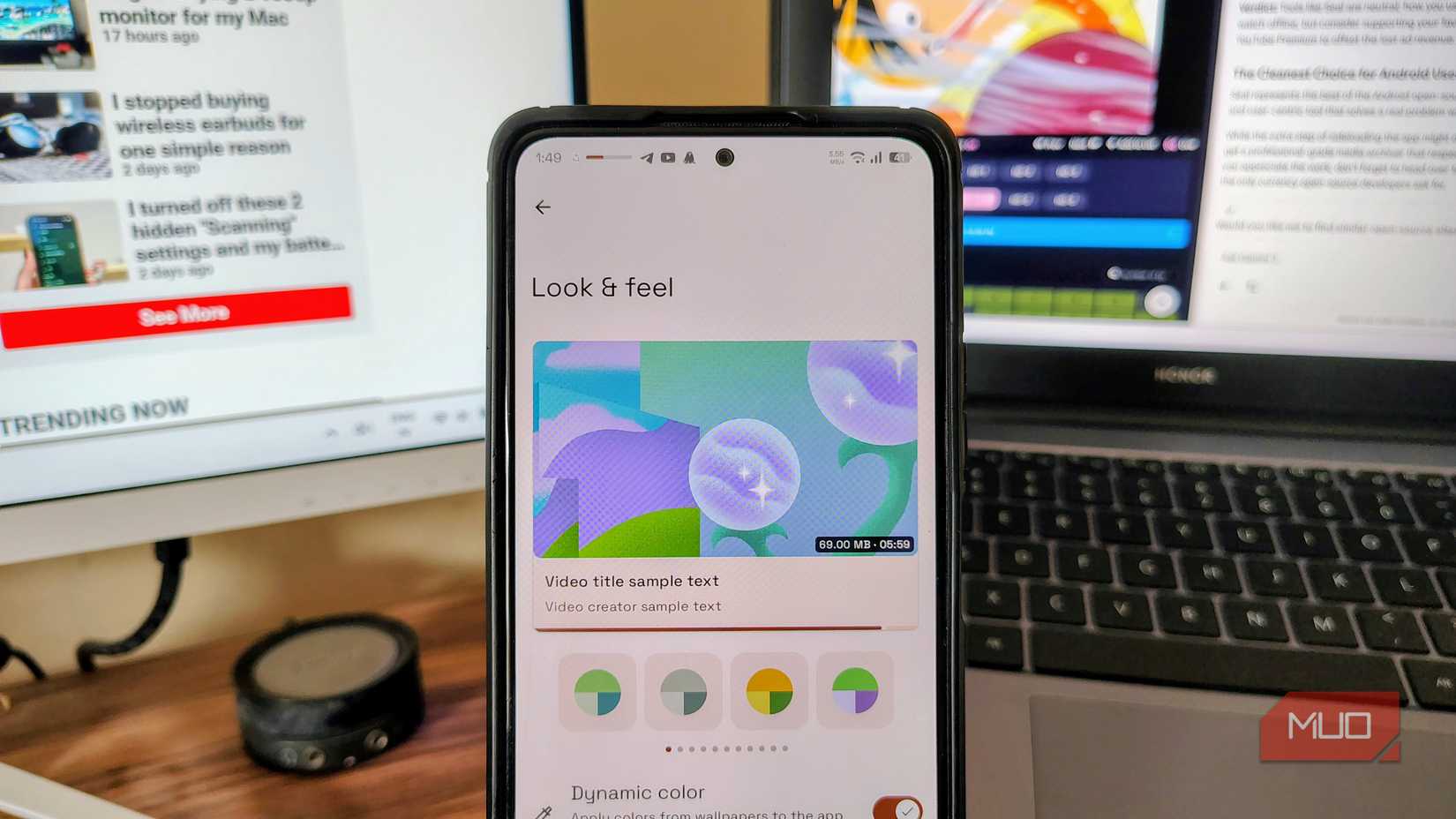
Most free downloader apps look like they were built in 2014. On the contrary, Seal feels like it’s part of the Android system itself. Seal is built upon the Material You design language, meaning it supports dynamic theming. So when you change the wallpaper, the entire app theme adapts to that. The UI also feels modern, spacious, and intuitive.
Seal is powerful
The design is not the only strong suit that shines. Seal is built on the powerful yt-dlp, a command-line media downloader loved by archivists and data hoarders. This means, unlike other downloaders that can only download something from YouTube or Instagram, Seal supports over 1700 websites, meaning if there’s content on the internet, Seal can grab it for you.
Lastly, the cleanest aspect of the Seal is what it lacks. There are no ads, no extra addons, no trackers, and no unnecessary permissions. You don’t need Pro versions or watch 30-second ads to get tokens just so you can download a 10-second reel. A clean and open-source, bloat-free utility that just lets you save your favorite content to watch later or watch buffer-free.
Downloading videos using Seal
It’s as easy as 1 2 3
Since Seal lets you download any videos, including YouTube, you won’t be able to find Seal on the Play Store. But luckily, sideloading apps on Android is easy. Seal is available on most open-source app stores.
Just download Seal from the official GitHub repository, the F-Droid store, or the website, then install the app. As easy as that. Once Seal is installed on your Android, follow these steps:
- Open the video you want to download.
- Tap on the share button.
- From the share sheet, tap on Seal.
- If Seal is not on the quick share sheet, tap More and select Seal.
- Select Seal from the pop-up. (You can even select Quick Download if you are okay with Seal’s default settings.)
- Here you will get a quick configuration menu.
- Configure how you want to download the video and tap Download.
You can choose from a range of video resolutions or download videos as audio. In the same configuration pop-up in Seal, you can also choose your preferred location to download the file.
But is it legal?
There are some roundabouts you can take
When discussing apps that download video, it is vital to distinguish between what is illegal and what merely violates a platform’s rules. Downloading a video for personal, offline viewing is not a criminal act; strictly speaking, it is legal. However, it often violates the platform’s Terms of Service (ToS) — the contract you agree to when using their site.
I stopped struggling with file transfers thanks to this free app
Moving files between phones, laptops, and TVs has never been simpler.
This creates a unique lane for Seal. Unlike official apps, Seal does not require you to log in to a Google or YouTube account. Because the app functions anonymously and isn’t bound to a user profile, you aren’t risking an account ban, effectively sidestepping the ToS enforcement that binds logged-in users.
While platforms rely on ad revenue and watch metrics, Seal is not designed for piracy or redistribution. It is built for data sovereignty: creating local backups and archives. The internet is ephemeral; creators delete channels, and platforms remove videos arbitrarily.
The clear choice for Android users
Seal is a powerful, beautiful, and user-centric tool built by developers who understand the pain of downloading videos. Yes, the extra step of sideloading an app is tedious, especially with Google making it a bit harder (not impossible) for casual users, but the one-time process is worth the hassle considering the return on investment.